If you’ve ever pasted an affiliate link into a blog post or Instagram bio and thought, “this looks sketchy,” — you’re not wrong.
Long, ugly URLs stuffed with tracking codes scare people away before they even click.
That’s exactly the problem link cloaking solves.
In this guide, you’ll learn what link cloaking actually is, why it matters for anyone doing affiliate marketing, and a simple step-by-step system to start hiding and tracking your links today — even if you’re a complete beginner.
Uncover My Top Recommendation for Making $100-$300 Daily – Check Out This FREE Video to Begin >>>
What Is Link Cloaking?
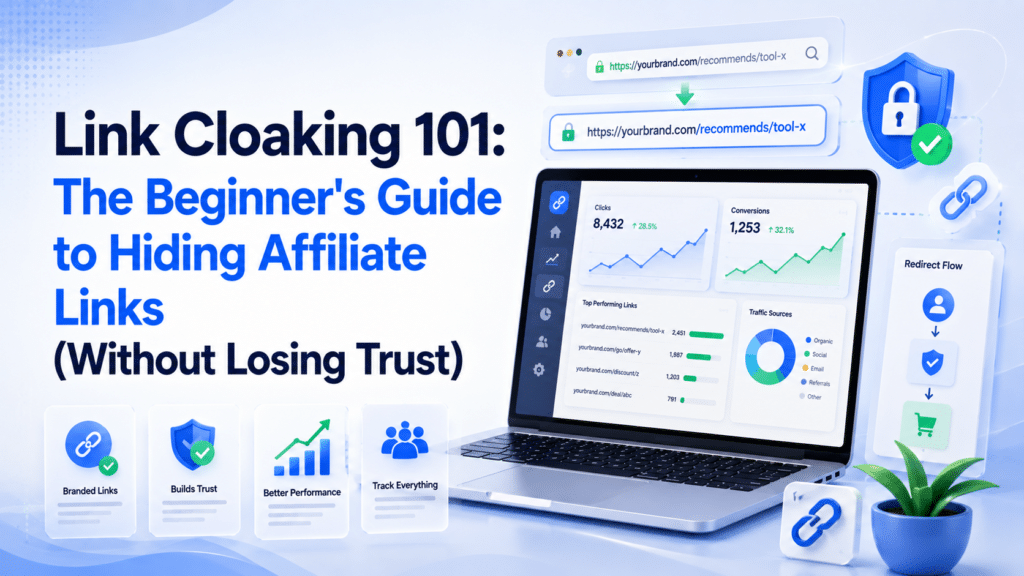
Link cloaking is the process of turning a long, messy affiliate URL into a short, clean, branded link that hides the original tracking parameters.
For example:
- Before: yourstore.com/product?id=8827&ref=aff2837&tag=xyz123
- After: yourdomain.com/go/best-camera
Both links go to the exact same page. The only difference is that one looks trustworthy — and one looks like spam.
Link cloaking tools do three main things:
- Shorten the link for a cleaner look
- Redirect visitors seamlessly to the original affiliate URL
- Track clicks, conversions, and traffic sources behind the scenes
Why Link Cloaking Matters?
This isn’t just a cosmetic upgrade. Link cloaking directly affects your click-through rate, your credibility, and your ability to grow as an affiliate marketer.
Here’s why it matters:
- It builds trust. Clean links get more clicks than long ones packed with random numbers and symbols.
- It protects your commissions. Some networks flag or block raw affiliate links on social platforms — cloaking helps you stay compliant.
- It enables affiliate link tracking. You can’t optimize what you can’t measure. Cloaked links let you see which posts, emails, or platforms actually drive sales.
- It future-proofs your links. If a product URL changes, you update one redirect instead of hunting down every link you’ve ever posted.
- It looks professional. A branded short link (like yoursite.com/go/deal) signals authority — a raw affiliate URL signals “proceed with caution.”
Step-by-Step Guide: How to Cloak Affiliate Links
You don’t need to be technical to do this. Here’s the beginner-friendly process.
Step 1: Choose a URL Shortener for Affiliates
Not all shorteners are built the same. General-purpose tools (like Bitly) shorten links. Purpose-built affiliate tools (like Pretty Links) shorten and manage them long-term.
Step 2: Connect It to Your Own Domain
This is the most important step for beginners to understand. Using your own domain (e.g., yoursite.com/go/) instead of a third-party domain (bit.ly/) means:
- You control the link permanently
- You build brand recognition with every click
- You’re not dependent on someone else’s platform staying online
Step 3: Create Your Cloaked Link
Paste your original affiliate URL into the tool, choose a short, descriptive slug (like /go/laptop-deal), and save it. That’s your new, clean link to share anywhere.
Step 4: Set Up Affiliate Link Tracking
Enable click tracking so you can see:
- Total clicks per link
- Traffic source (blog, email, social)
- Click-through and conversion trends over time
This data is what separates hobby affiliates from people making consistent income.
Step 5: Use Redirects Wisely
Set your redirect type to a 301 (permanent) redirect for SEO-friendly performance, and always test your link before publishing it publicly.
Uncover My Top Recommendation for Making $100-$300 Daily – Check Out This FREE Video to Begin >>>
Pretty Links vs Bitly: Which Should Beginners Use?
This is one of the most common questions in affiliate marketing forums, so let’s break it down clearly.
Pretty Links runs on your own domain, which means every link you cloak carries your brand instead of someone else’s. Bitly, by contrast, only allows custom domains on its paid plans — on the free version, your links live under bit.ly, not your own site.
When it comes to tracking, Pretty Links was built specifically with affiliates in mind, so it gives you deeper click data tied directly to your campaigns. Bitly offers basic click counts, but it wasn’t designed around affiliate workflows, so the reporting feels more generic.
If you’re running a WordPress site, Pretty Links integrates natively as a plugin, letting you create and manage links right from your dashboard. Bitly requires an external tool or workaround to connect smoothly with WordPress.
There’s also the question of ownership. With Pretty Links, your link data lives on your own site — you control it. With Bitly, that data lives on Bitly’s platform, so you’re relying on a third party to keep it accessible.
Bottom line: Bitly is great for casual, one-off link shortening when you just need something quick. Pretty Links (or similar affiliate-focused tools) is built specifically to hide affiliate links, track performance, and keep everything under your own brand — which matters more as you scale.
Common Mistakes to Avoid
Even well-meaning beginners fall into these traps:
- Using raw affiliate links everywhere. This hurts click-through rates and can violate some program terms.
- Relying only on free public shorteners. If the platform shuts down, every link you’ve ever shared breaks.
- Not tracking clicks at all. Without data, you’re guessing instead of improving.
- Cloaking links but never disclosing them. Cloaking hides the URL, not the relationship — always disclose affiliate links per FTC guidelines.
- Using vague slugs. /go/link1 tells you nothing. /go/wireless-earbuds-review does.
Pro Tips for Advanced Link Cloaking
- Organize links by category: /go/tools/, /go/courses/, /go/deals/ — this keeps large sites manageable.
- A/B test your slugs and placement to see which link locations get the most engagement.
- Audit dead links monthly. Redirect expired affiliate offers to a similar active one instead of losing the traffic.
- Combine cloaking with UTM parameters for even deeper affiliate link tracking across email, social, and blog channels.
- Set links to “nofollow” or “sponsored” where required — cloaking and SEO compliance can (and should) work together.
FAQs
1. Is link cloaking legal?
Yes. Link cloaking simply redirects a short URL to a longer one. It’s legal as long as you still disclose affiliate relationships to your audience, as required by the FTC and most affiliate networks.
2. Does link cloaking hurt SEO?
No, when done correctly. Using proper redirects (like 301s) and disclosing sponsored links keeps you compliant while improving click appeal.
3. What’s the best free tool to hide affiliate links?
Many affiliate-focused plugins offer free tiers, and Bitly’s free plan works for basic shortening. For long-term growth, a dedicated tool tied to your own domain is worth the small investment.
4. Pretty Links vs Bitly — which is better for beginners?
If you’re on WordPress and serious about affiliate marketing, Pretty Links (or similar) is built for that purpose. Bitly works fine for quick, general-purpose links outside your site.
5. Can I cloak links on Instagram or TikTok?
Yes — cloaked links work well in bios and link-in-bio tools, since they look cleaner and are easier for followers to trust and remember.
6. How much does link cloaking cost?
Costs vary widely — from free plugins to premium tools in the $50–$200 per year range, depending on features like advanced tracking, split testing, and unlimited links.
7. Do I need coding skills to cloak links?
No. Most tools are plug-and-play — paste your link, choose a slug, and publish.
Uncover My Top Recommendation for Making $100-$300 Daily – Check Out This FREE Video to Begin >>>
Conclusion: Start Cloaking Smarter, Not Harder
Link cloaking isn’t a “nice to have” — it’s a foundational skill for anyone serious about affiliate marketing.
It builds trust with your audience, protects your commissions, and gives you the affiliate link tracking data you need to actually grow.
Start small: pick one tool, cloak your five most-used affiliate links today, and watch how much cleaner (and more clickable) they become.
Ready to stop losing clicks to ugly links? Pick a URL shortener for affiliates, connect it to your own domain, and start tracking every click from day one.
Source: Link Cloaking 101: The Beginner’s Guide to Hiding Affiliate Links (Without Losing Trust)
Affiliate Disclaimer :
Some of the links in this article may be affiliate links, which means I receive a small commission at NO ADDITIONAL cost to you if you decide to purchase something. While we receive affiliate compensation for reviews / promotions on this article, we always offer honest opinions, user experiences and real views related to the product or service itself. Our goal is to help readers make the best purchasing decisions, however, the testimonies and opinions expressed are ours only. As always you should do your own thoughts to verify any claims, results and stats before making any kind of purchase. Clicking links or purchasing products recommended in this article may generate income for this product from affiliate commissions and you should assume we are compensated for any purchases you make. We review products and services you might find interesting. If you purchase them, we might get a share of the commission from the sale from our partners. This does not drive our decision as to whether or not a product is featured or recommended.